LINGA — Feature Request Forum

MAKE STARTING BANK TO APPLY TO THE CASH DRAWER AND NOT EACH EMPLOYEE
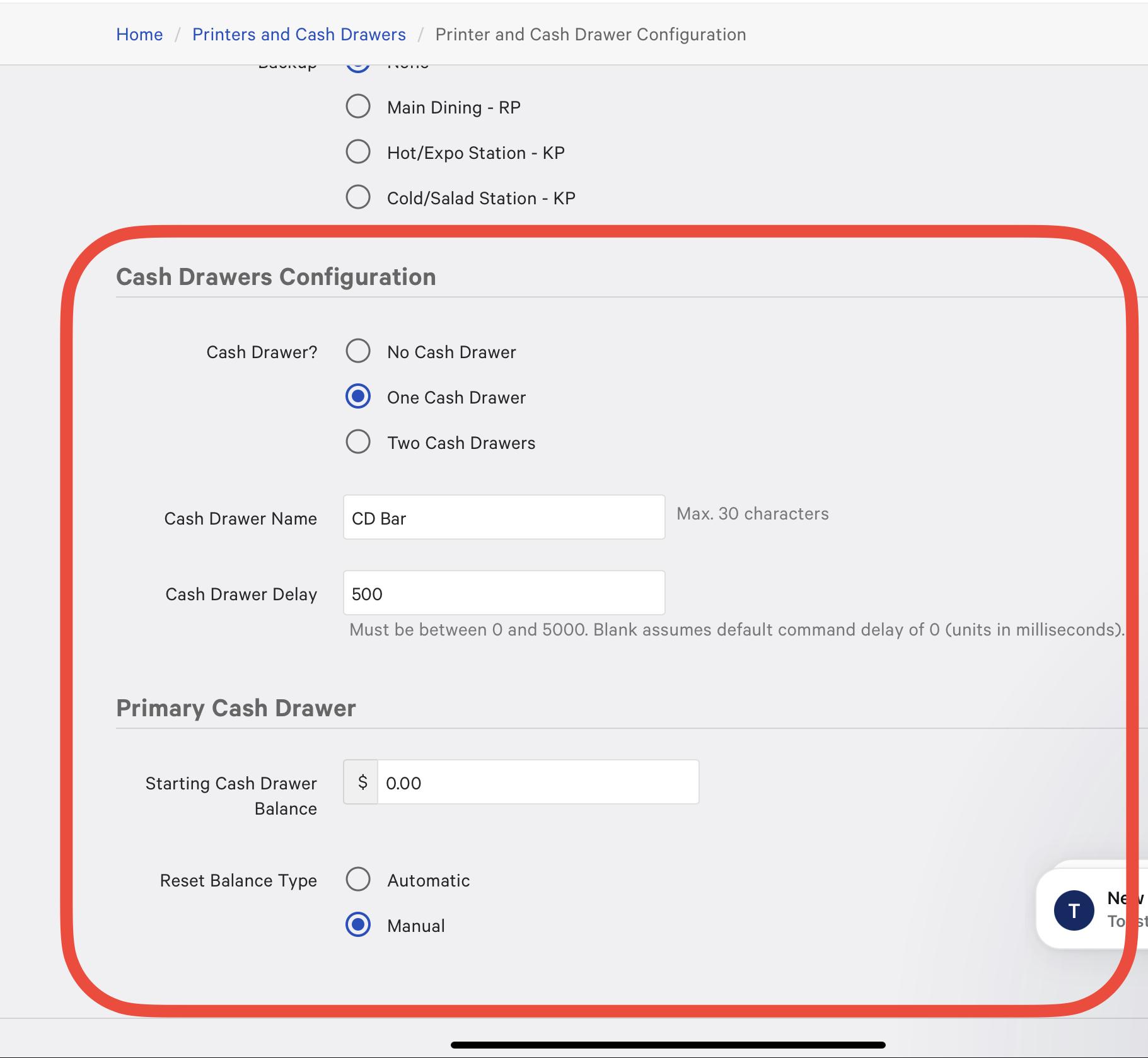
As of right now when a till is set it applies to everyone that can close cash. This currently confuses the customer when they look at their reporting and you want to set the single cash drawer to $300 and at the end of the night it shows your starting balance of $1,800.00 (5 servers and 1 bartender). In the other systems you can add the Fixed Starting Balance of $300.00 to the individual CASH DRAWER and when that drawer is accessed it will update the money in the drawer. If the Bartender closes $1,000.00 in cash sales and does a $200.00 Payout it will reflect in his drawer and report will show
CASH IN HAND: $800.00
Cash Collected: $1,000.00
Pay Out: $200.00
STARTING BANK: $400.00
CASH IN DRAWER: $1,200.00

Need feature to combine To Go orders
There is currently no way to combine or merge two or more TO GO checks into a single check. There are multiple scenarios where this need can arise. The only way to do this now is to open each check and move each check to a table. Then merge them and change them back to the to go order type and pay the check out. I have had nearly every merchant complain about this more than once. We need a "merge" option on the TO GO orders like there is on the table layout screen. Thanks.

Add the Ability to Properly Sort Loyalty Discounts
Currently (according to t#215113) the only yay to properly group and sort loyalty discounts is by adding them in the order you want them to appear. You are unable to change this order once the loyalty discounts have been made, so if you want to add something to the top of the list, you have to remove and re add everything.
Role Permission for Attach
Partner Feature Request. The merchant needs the ability to restrict the ability to attach modifiers to an item in order to prevent employees from ringing in open modifiers.
Bill F. wants this treated as high priority.

Option to show hidden status column in item/modifier/modifier group view
Linga has the ability in the new ui to customize the columns being displayed. It would be nice to have a few more options.
Specifically it would be very nice to be able to see which items are hidden in the POS and online order (maybe kiosk too) so that we can be attentioned to that without going into the individual item settings.

add "reprint" notation on ticket for all tickets resent to kitchen
this will help with duplicate orders!

Option to Hide/remove sign out on pin login screen
Currently some merchants and employees at businesses misunderstand the usage of the sign out button on the POS in the pin login screen.
If the users sign out it "resets" the POS settings and the hardware.
Would like ability to hide, remove, or have a special sequence needed for button to appear.

Feedback App need to be able to change background
The current feedback app does not allow you to change the background, which is causing an issue with the second question — its text is also black, making it unreadable.

Time Stamp for when items are sent to the kitchen or bar
this helps to keep track of when extra items that are added to the table after the original order is placed

Split Payment mark
When a split payment takes place, the seats that have already been paid for still show and don’t disappear or get marked as paid, which confuses the merchant who has to go over each ticket to see the items listed.
The least we can do, if you can’t make the paid seats disappear from the list like other systems, is to highlight them in a different color and have a PAID text overlay on the items.
Customer support service by UserEcho