LINGA — Feature Request Forum

ToGo symbol on Kitchen Tickets
Option to change the ToGo symbol that prints next to the items on the kitchen tickets. Needs to be more prominent for older cooks to see. Like adding asterisks.
Finish Button Options
Can we make the Finish button customizable? Be able to change name from Finish to Send or add a popup asking if they are ready to send the order to the kitchen?
Servers are getting confused and hitting the Finish button instead of the Done button after entering an item and sending tickets to the kitchen too early and not together.

Hide Included under the items unless selected
Hide Included under the items unless selected so that all the include items do not show up in red under the item making a clutter

Give the option to remove tip line (or "additional tip") when tip is added
Would be nice to have the option to have the tip line removed (including "additional tip") completely when the tip has been added. As of now it is either all or nothing.

Ability to add a Role to a Display Group
It would be nice to have the ability to add a Role to the Display Group like you can for a Category. This would allow custom display groups to be displayed in the POS based on the Role of the user.

Add Being Made on Other Stations on Kitchen Prints
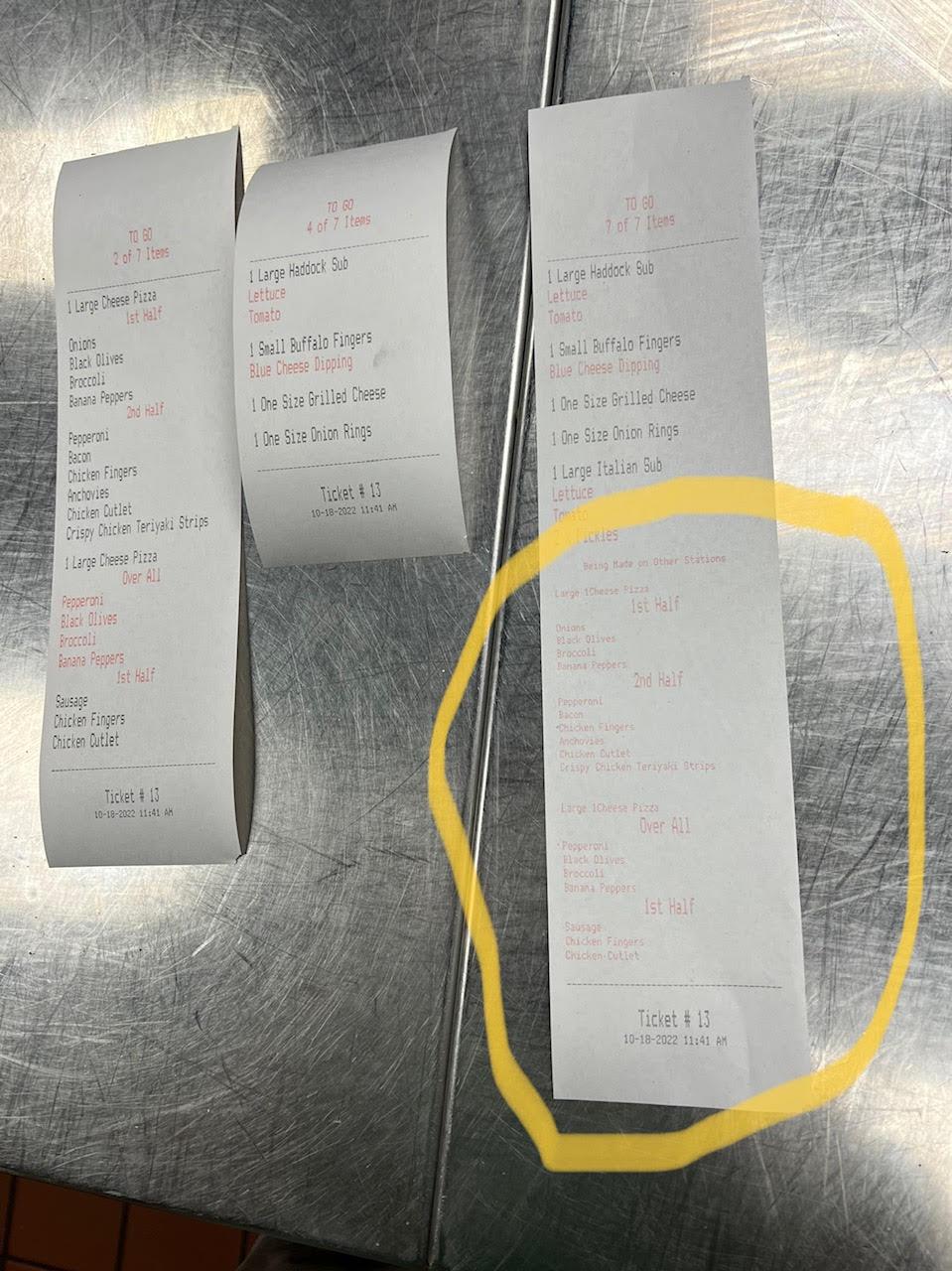
This is a nice feature I see on other POS when it comes to QSR. On the picture below you can see 3 prep areas for kitchen printing. The first 2 slips on the left show the items being made at that station in large font. You will notice on the 3rd slip to the right there is the large font on what needs to be made on that station and a separator (highlighted in yellow) that says being made at other stations. This implies there are other items on the order that are being prepared at other prep areas to help with the timing of the order. Some items may cook a lot faster than others like in this example where the pizzas can take double the time to cook unlike the fried items at the top in large print.
This being made on other stations separator should be customizable as well with options to turn it on or off, select font size (typically just need it small font for quick viewing and not take a lot of space on ticket) and whether to show the items and modifiers or just the items themselves.

Order Type Based Service Charge
We need an automatic service charge on only To-Go orders for example.

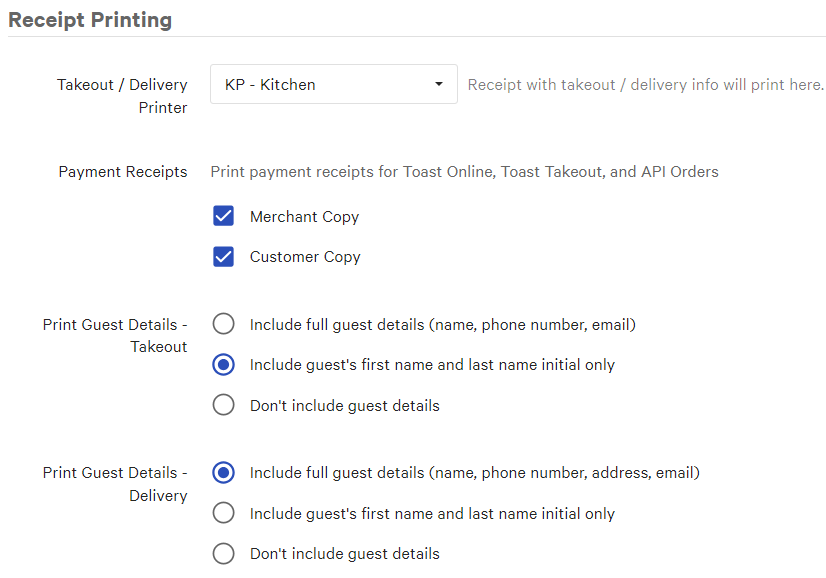
SEND A COPY OF THE GUEST RECEIPT FOR TAKE-OUT/DELIVERY ORDER TYPE TO A KITCHEN PRINTER
Delivery and or Take-Out reciepts get sent to a designated printer.
This applies to either selecting a Delivery or Take-Out Order Type or from an Online Order.
This allows a Delivery Person to have a copy of the check with a payment (or lack of payment) and a list of everything they need to add to the orders ex. Beverages, Desserts, Utensils etc.
Also they dont have to waste time going to a Cashier or a Server to get the copy of the check

add note to order
we need to be able to add NOTES to an order (similar to attaching notes to a product) but this NOTE should apply to the whole order.
ALL notes should print on the KOT but NOT on receipt
its a common feature in most POS systems
often when taking a Takeaway order we note the customers Name or maybe a description to help the server find the person when the order is ready.
Or it could be a NOTE for the chefs

receipt printer enhancement
add the option to split the print by category
Customer support service by UserEcho


