LINGA — Feature Request Forum

fix order number and size on receipts
The order number on receipts needs to be at least double in size and in BOLD, even set in BO at double height, its not enough, and needs to be added the same way to the center and on top to the Credit Card itemized receipt. Numbering needs to be fixed, first digit depends on the nod number which is fine, but the "-" should be removed, also, there is always a zero following the "-" should be removed too, right now, order number 123 from nod No 3 prints: 3-0123, but it makes more sense if it prints 3123.

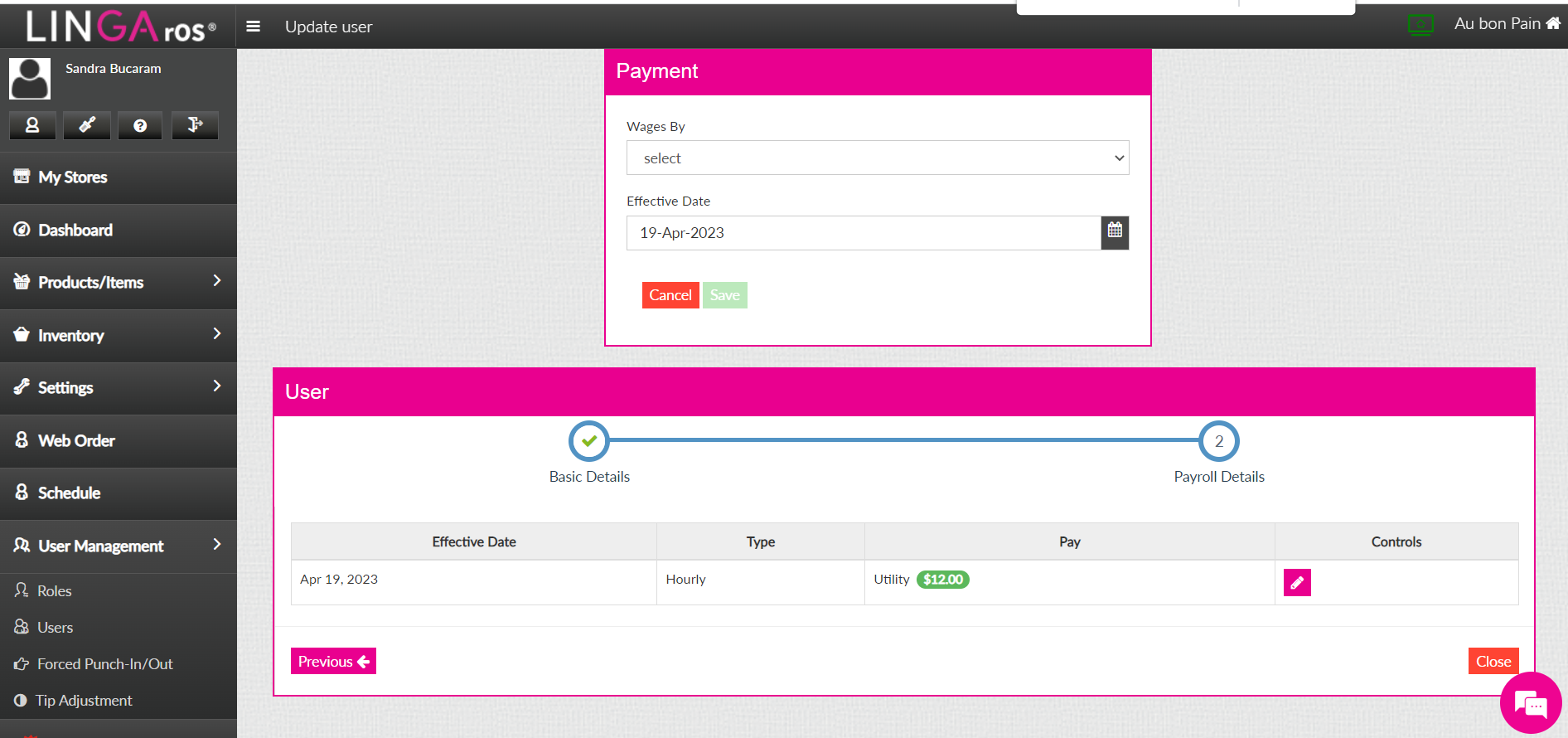
Wages by Weekly
We would like an option for wages by weekly
This can be found in the back office by going to
User Management > Users > Selecting the pink pencil on any employee > Click On Payroll Details > Pink Pencil > Cllick on "Wages By"
We would like Weekly Option here

United States vs European Calendar
When ordering through a sites OLO Zenfoody site, we see the European version of the a monthly calendar, indicating the start of the week is MONDAY
Almost all United states calendars start on Sunday instead of Monday.
We have instances of customer placing orders for the wrong dates due to this calendar issue.
Can we get a bit option to flip the calendar to the US version instead of the European version?


New Version isnt working out
We are having issues with the new 4.5 version. When creating an order under QSR a new window pops up asking if you want to do the order 'Now' or 'Later'. You have to click 'Done' in order to keep the open tickets in the que because the customer hasn't paid yet. Then when hitting 'Finish' it takes you out of the order screen and puts the orders under 'Phone to go' orders. 'Phone to go' isnt an option I have selected under POS settings, so no clue why the orders are going there. First of all, I would like the ability to shut off the popup screen that says "now' or 'later'. Also I would like to hit the 'finish' button and stay on the order screen. This new 'log off' button isnt working for us. We would like to have it working like it was prior to this new 4.5 update.

View Employee Pin
It is essential that managers, or at the very least admins have access to see the login pin of the employees.
Basic feature to change the whole procedure of having to adjust hours.
Willing to provide specific use cases.
Heartland & Clover both have this functionality. I have full access to both without signing any NDAs so please do ask questions.

CHANGES TO LABOR REPORT
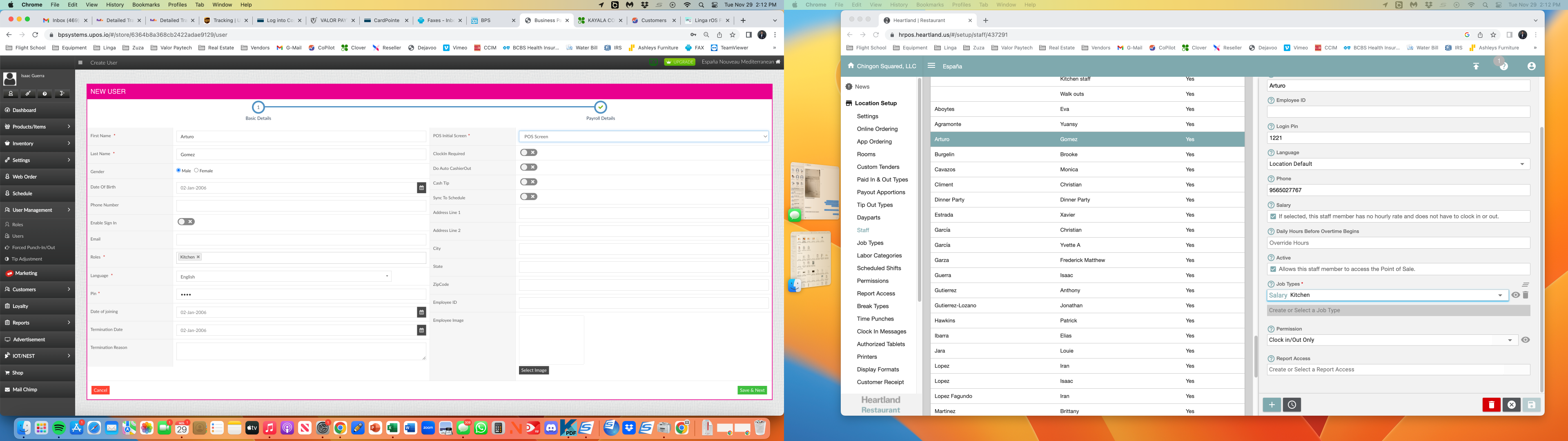
So under Reports: Employee: Labor my customers are asking for overtime hours to be shown in the report. I know you have it in OT Based Payroll. But using that report generates a huge list of information. what my customer is looking for is a regular hour and overtime hours column that adds up to the "Hours" column. so he can send this to his bookkeeper. So how the labor report is set up right now ie EMPLOYEE ID: NET SALES: HOURS: LABOR: % OF NET SALES: LABOR PERCENTAGE: SHIFT STATUS.. So all he leaves on is Labor Hours. Then he digs threw the other reports to find the overtime hours and hand writes it to the left of total hours.
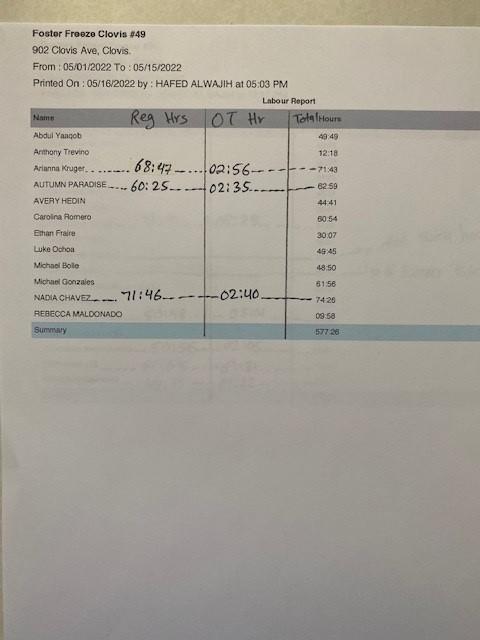
So can you add Regular Hours and Overtime hours to this report? So the order he would like to see would be something like this. EMPLOYEE ID: NET SALES: REGULAR HOURS: OVERTIME HOURS: HOURS: LABOR: % OF NET SALES: LABOR PERCENTAGE: SHIFT STATUS. Would even be better if you could combine the weekly and daily processes together.
We need to make things easier for our customers not make them work for the data.
Thank You

Show loyalty balance on Zenpepper page under profile section
Show loyalty balance on Zenpepper page under profile section

Number of guests on the Kitchen Printer
Please add a setting to display number of guest on the kitchen ticket.
It helps the kitchen staff serve dishes according number of guests, so they know if they need to put 10 shish kebabs on one plate or 5 plates.

Holiday Hours - OLO
The ability to schedule "Closed" days such as Thanksgiving, Christmas, etc. So that Online Ordering is off for those specified set days.

Manually type forced punch in/out rather than only use the up and down buttons
This one a pretty simple the up and down buttons for editing a clock in/out event are fine to have but make it so we can just type it as well. Easier than sitting there clicking up on the minute side many times.
Customer support service by UserEcho