LINGA — Feature Request Forum

Employee based reports per item and credit card
Customer needs to see what we see on our sales report but need to be able to see by each employee. They also need to see what card was used, and what items where bought.

Restrict delivery zones in Back office
This means creating delivery zones that would not allow orders from that particular zone to be placed.
Shift Reports Feature Request
Customer wants a report that can break tips, sales, taxes, and everything else down by shifts. For example, lunch shift sales vs dinner shift sales.
Fully customization of reports
The customer would like to be able to see reports all on one page, such as time clock per employee with the amount of transactions they mad, hours worked, tips made, cash on hand.
Employee Reporting feature request
Request for a reporting system that shows employees sales compared to others. The store he has wants to promote a competition between servers on who can sell the most of certain items and we do not have an all-in-one report for this.
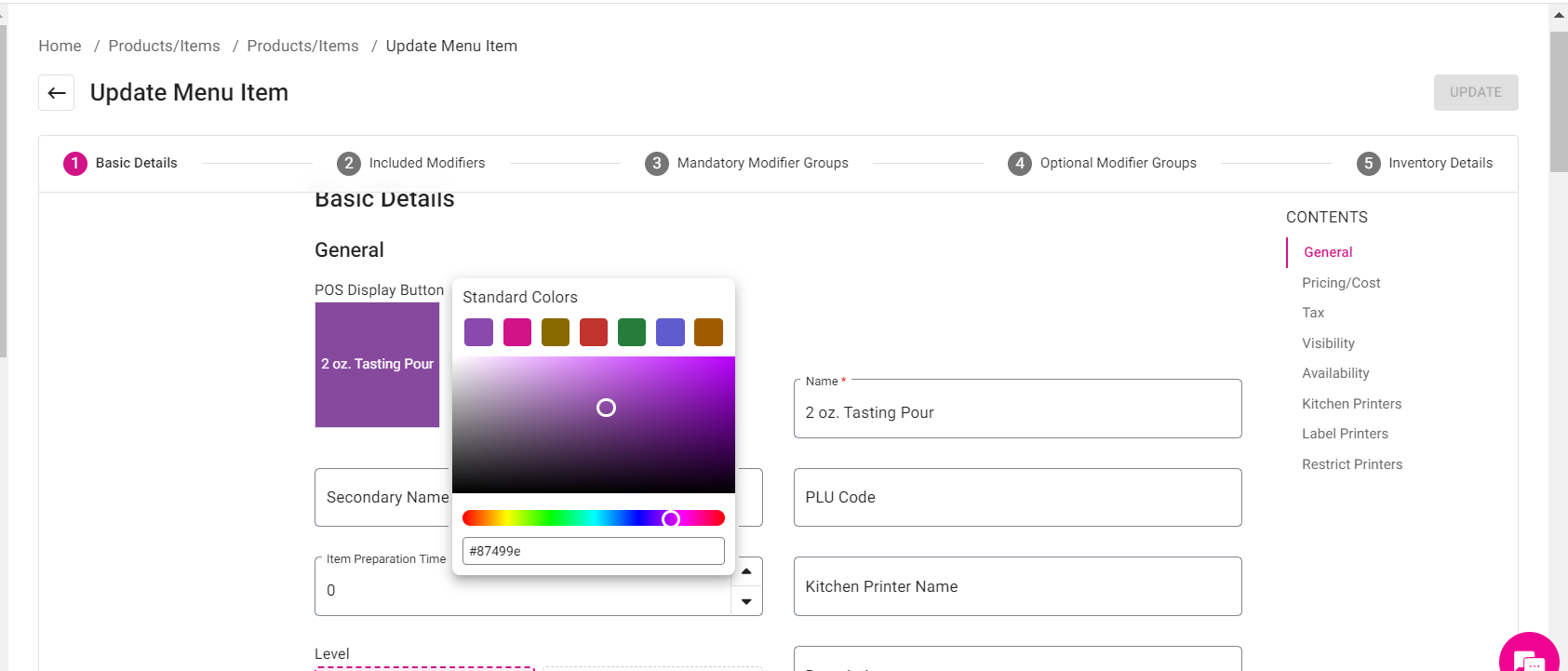
Remove color code in backoffice
In the new back-office theme: when changing the color of a ‘button image’…. Clicking on the color gives me a code but I tried to copy the code so I can have the exact same color for the category, and it doesn’t allow me to change that code.



GRATUITY OPTION
At the BOH, the gratuity should be by seat count or check total amount. Most our stores request that option, for example, if you check total is 50.00 or up, they charge the gratuity.. he System does not allow me anable by amount... Will be great for the customers experience have that 2 options

find a transaction by last 4 of card number
A lot of times customers ask for their receipts after weeks or a few days but they aren't sure about the transaction date of something. It would be nice to find a transaction from the transaction report by the last 4 numbers of a card.
Even if the transaction date is knows, it's easier to find a transaction by last 4 of card number instead of finding all transaction in that day and then do "Command + F".
Customer support service by UserEcho



