Your comments
I also mentioned this to support a couple of weeks ago.
It is a lot of work for the staff to click on the little M check the modifiers and hit done where they might accidentally make a change without meaning to
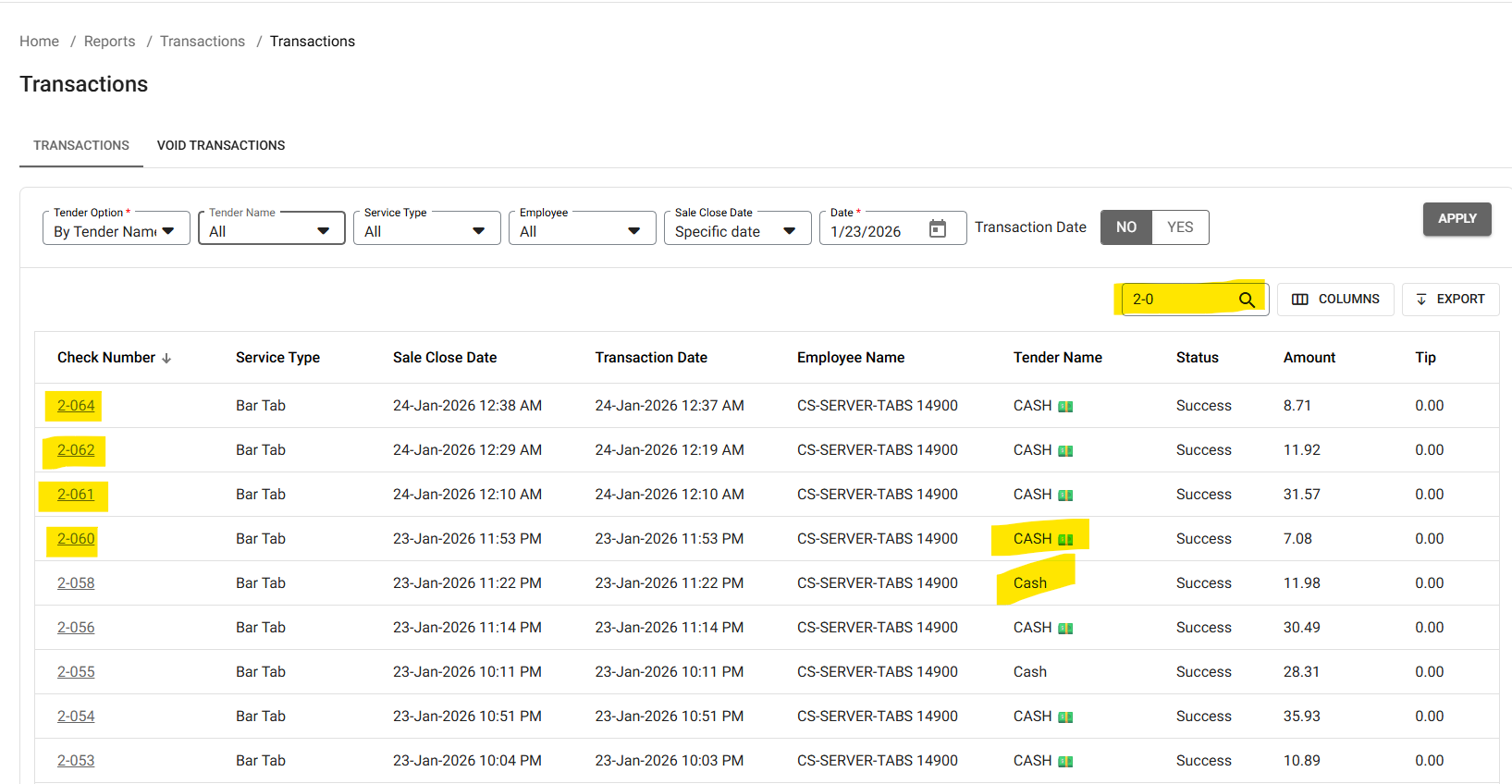
This problem popped up again and needs to be corrected. They tried to do an audit for a cash drawer and it doesn't show the amount in a single cash drawer. They have to rely on pulling the Sales recap by employee or pull the transaction report and search for all the cash checks closed at that terminal (basically looking for the terminal number on the checks)
You don't get a total for the Cash if you use the search option and have to pull out the calculator. Yes it will give you a total if you look up by employee.
I'll update myself. this feature has been added with the New SaaS released in Jan 2026 with the Multi-Site. Its still expensive if they have less than 4 terminals but not as bad as paying for the previous Enterprise unless you only have 1 terminal
IDK if you know but you can PRE-COURSE the categories and can change the courses on the fly. You can re-label the name of the courses and you can add characters and the length of the kitchen characters depending on on the font size but on medium the character length is 17 and you can do something like this
***1st COURSE***
Salad
Soup
***2nd COURSE***
Chicken Entree
Pasta Arrabiatta
You can also create your own course lines in the system which is the very legacy way of doing this
I like this idea but if a customer changes their mind at the end then it becomes a relay of messages for the staff.
It would be nice to have the mandatory selection screen pop up at the end (before paying) to select [FOR HERE/STAY] or [TO GO]
AFAIK, not this way.
EDIT: This being said there is a section, I haven't tried it, but you can test it before the site opens on a demo employee
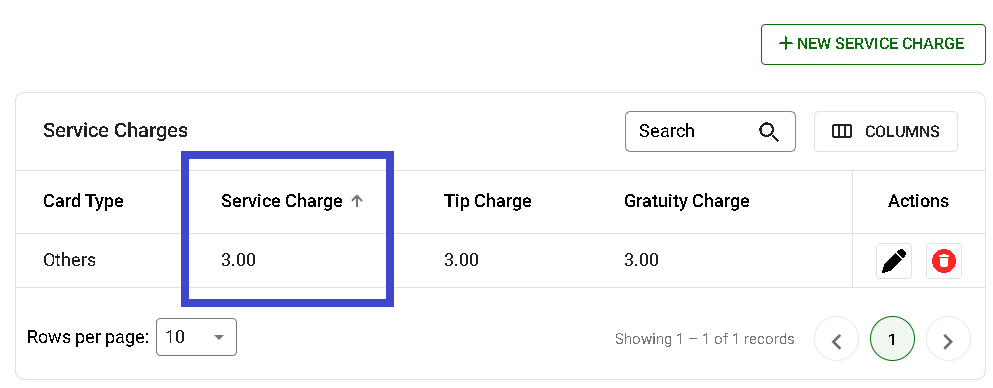
It's called "Tip Charge" This will charge the Server whatever percentage you enter to the servers CC Tips and Gratuities. This is legal in the Tri-State Area (NY, NJ and CT) I don't know about other states.
This can be found under SETTINGS>Payment Settings>Payment Surcharge-Select [Service Charge]. You can create all the Cards individually all set them all as others (this is what I did)
If you are talking about charging the servers the 3% on the total of the credit card, I would check with what the legalities in your state. This is not legal in the Tri-State Area
This is already available
Our current [OPEN ITEM] is a little too involved to create an open Item.
1 - Go to [OPTIONS]
2 - Select [OPEN ITEM]
3- Select a Course
4 - Enter a Name
5 - Enter a Price
6 - Select a Tax
7 - Select Prep Printers
DONE
and this doesn't record the sale to the correct DEPT (Food, Beverage, etc...)
What I would like to see is this to be simplify to having the button called OPEN FOOD or OPEN BEVERAGE or whatever the client would like and have these buttons already have the TAX, COURSE, and PREP STATIONS already pre-set and all the Server/Manager would have to do is enter a NAME and a PRICE. For open items like [OPEN PARTY] have it not ask for a name and just a price (See pic example above)
1 - Go to [OPTIONS]
2 - Select [OPEN ITEMS}
3 - Select the open Item type (Which can be named & pre configure in the back office)
********************
[OPEN DRINK]
[OPEN APP]
[OPEN ENTREE]
[OPEN DESSERT]
[PARTY FOOD Tax Inc]
[PARTY FOOD + Tax]
[PARTY BEV Tax Inc]
[PARTY BEV + Tax]
********************
4 - Enter a Name (if configured)
5 - Enter a Price
DONE
This method will eliminate server errors and make entering multiple open item easier
Customer support service by UserEcho


I have also ask if there was a way to either extend or remove the feature