Your comments
Retail Items with Variants: Screen Size: 100%
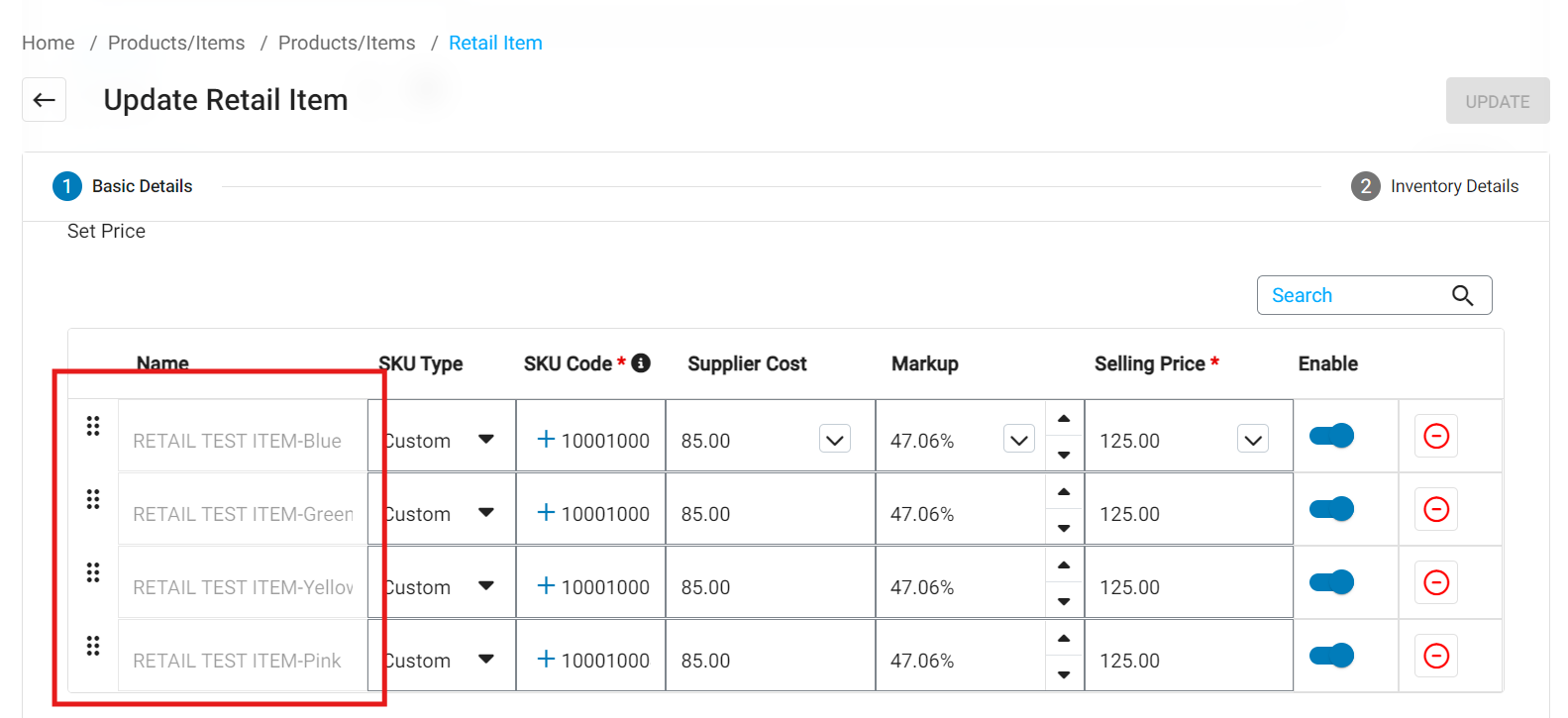
Retail Items with Variants: Screen Size at 67%
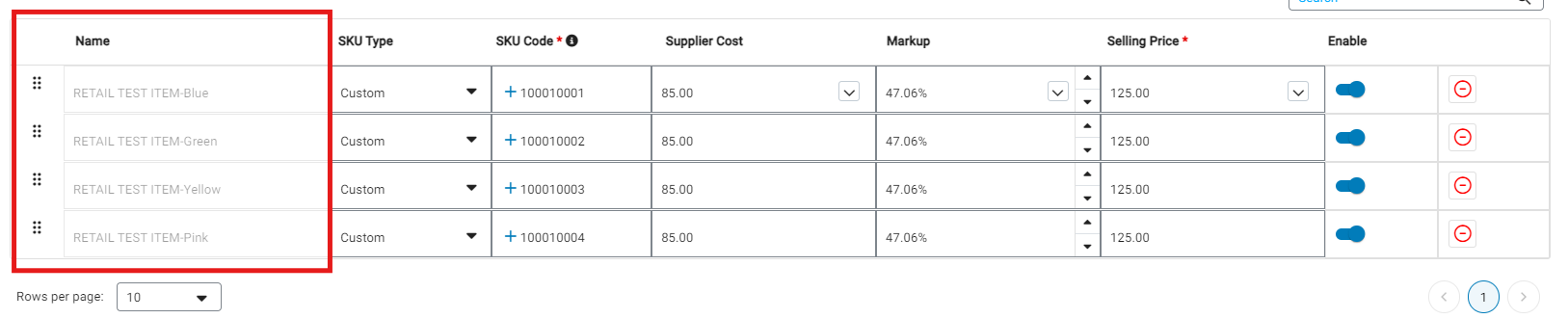
Shows full description of the variant item.
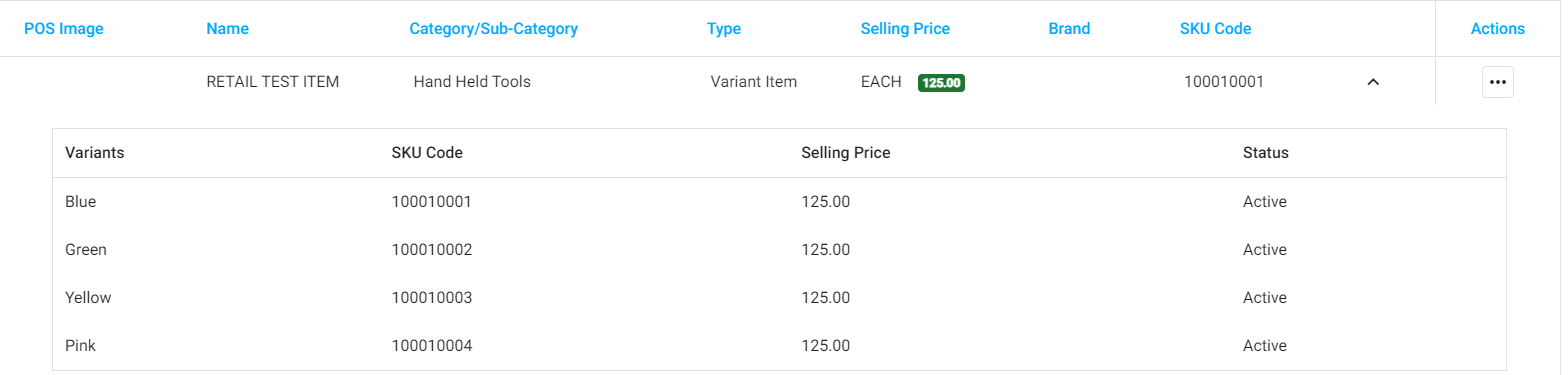
Item: Variant Item

Variant choices:
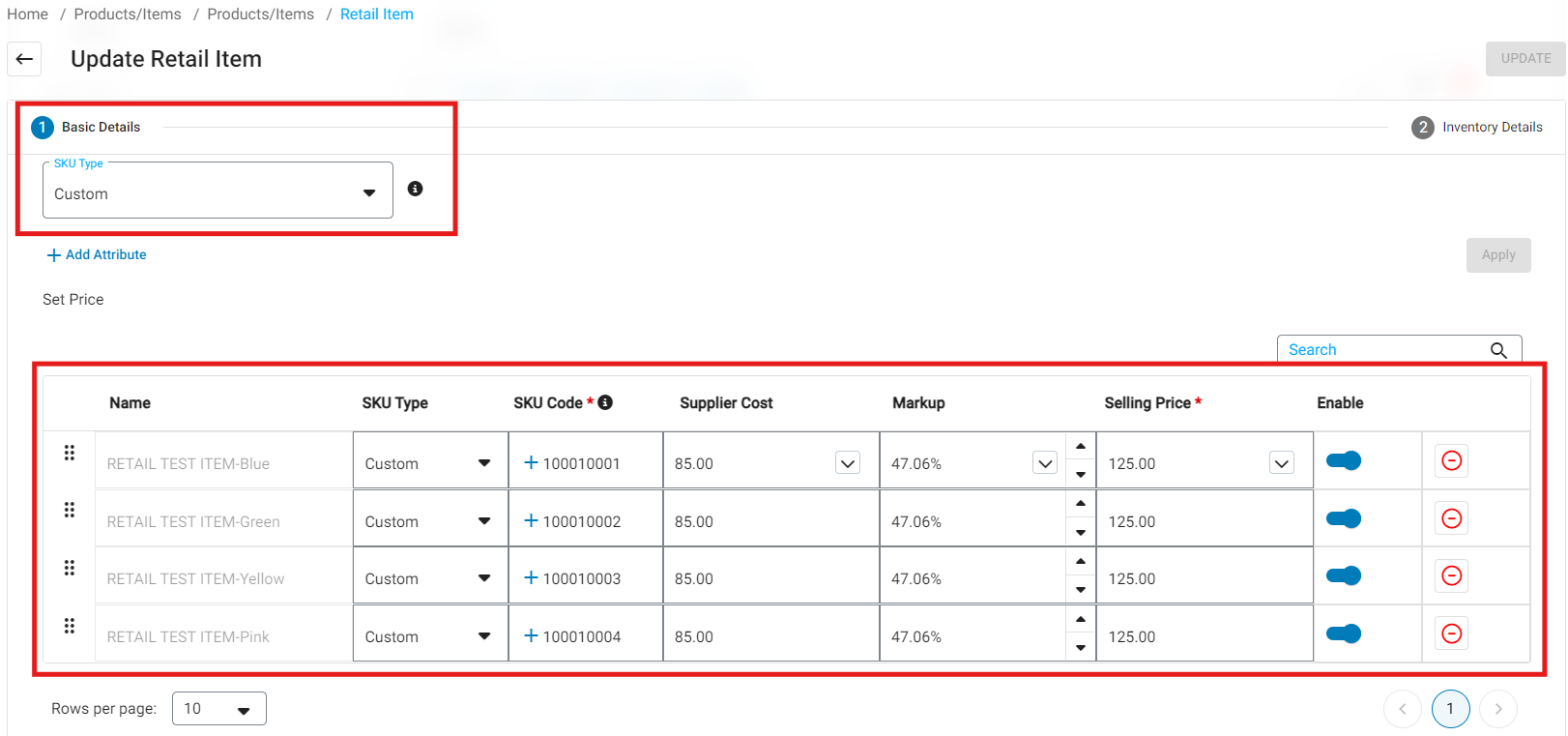
Edit item:
Adding on an additional variant to existing item:
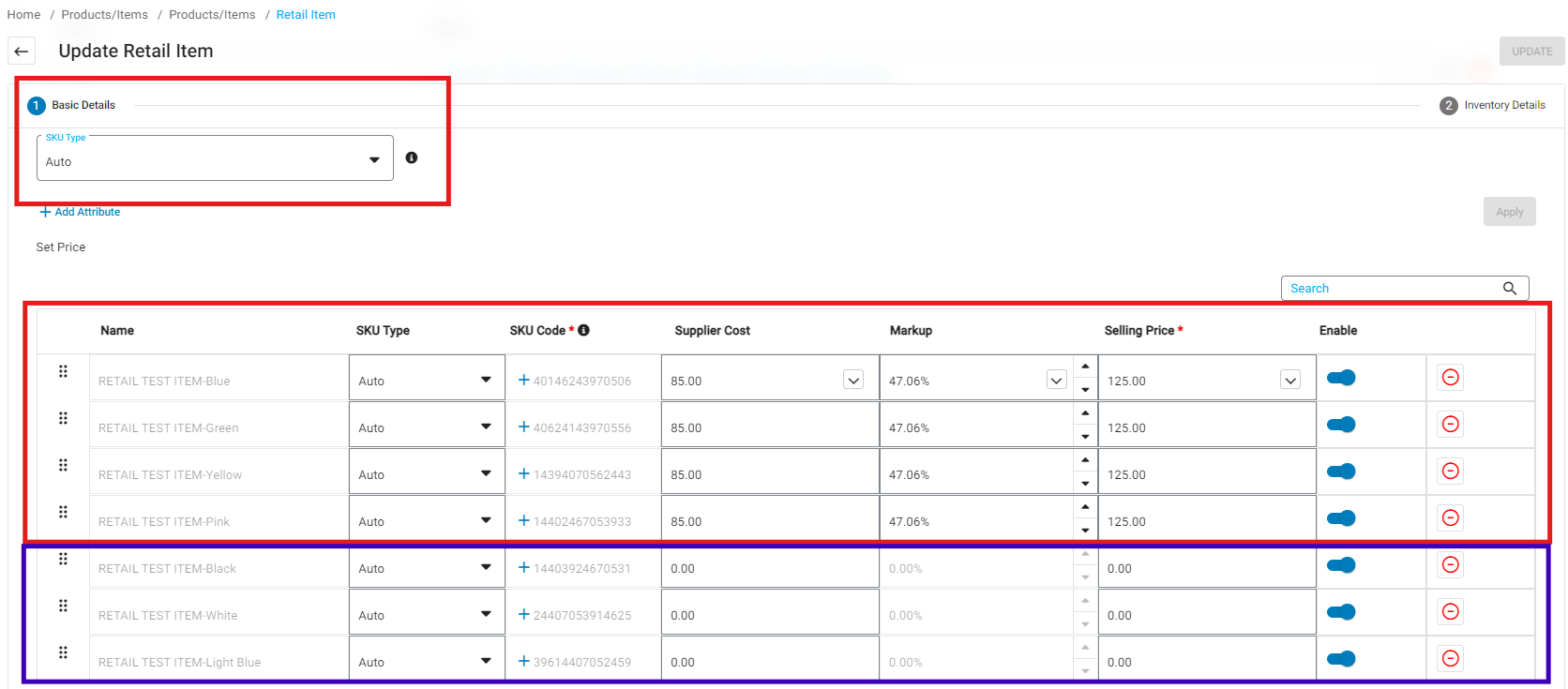
Note: If you change it to Auto then it takes the originally applied SKU/Code and remove's it from the item and inserts "Auto" SKU's which result in the "Duplicated SKU's on the system.
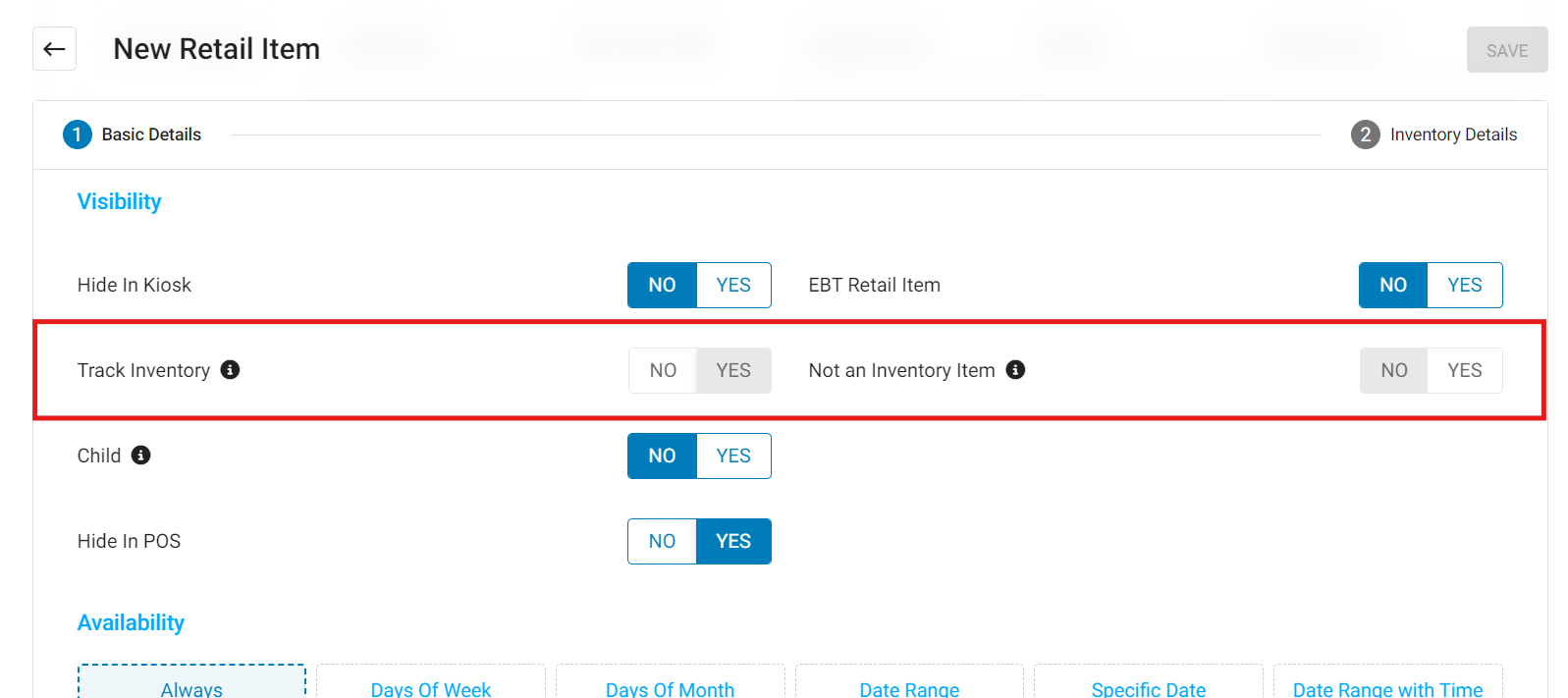
Standard Item:
Items will need to be flagged as "Track Inventory" in order for there to be a stock item for this item.
Variant Item:
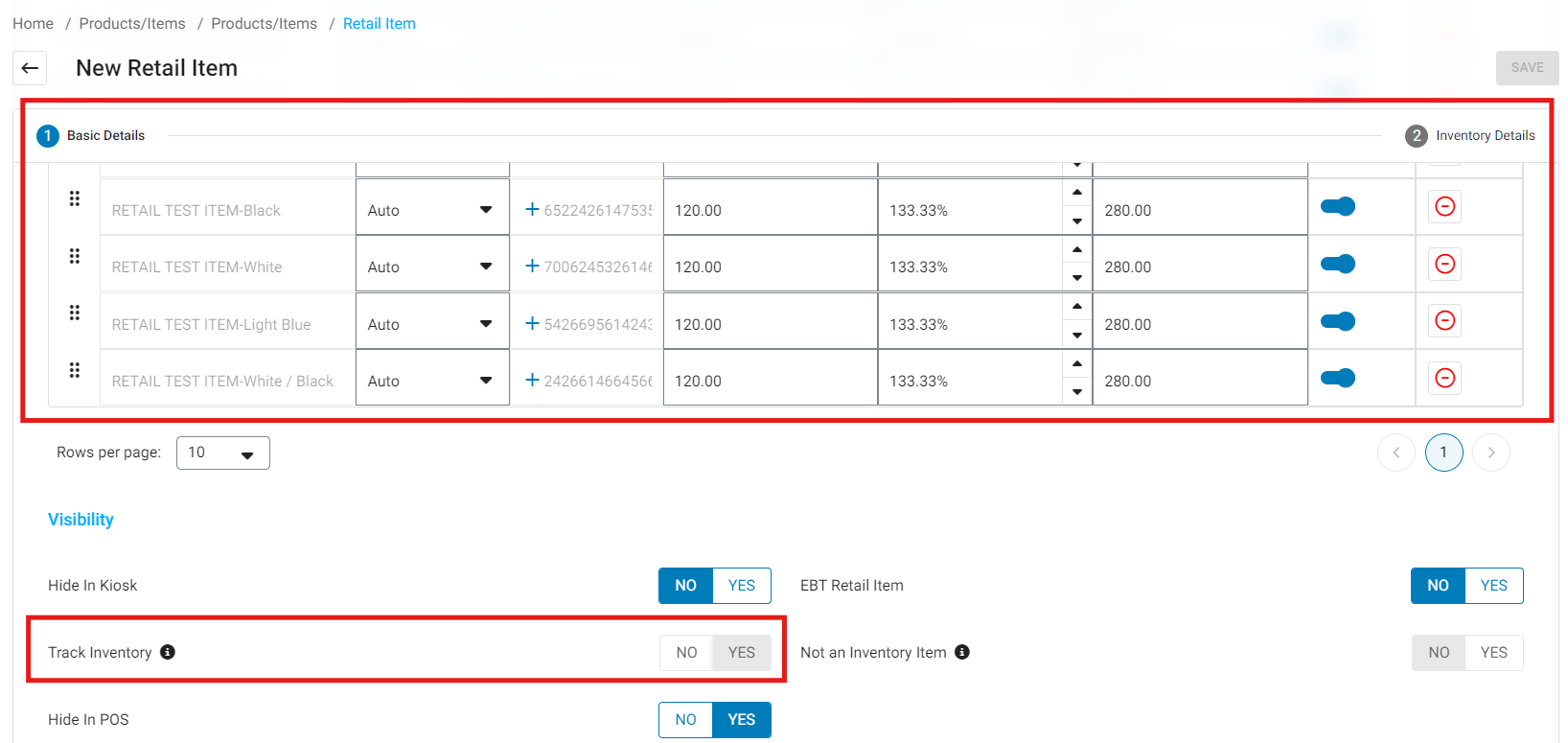
Items will need to be flagged as "Track Inventory" in order for there to be a stock item for this item.
Kit/Assembly:
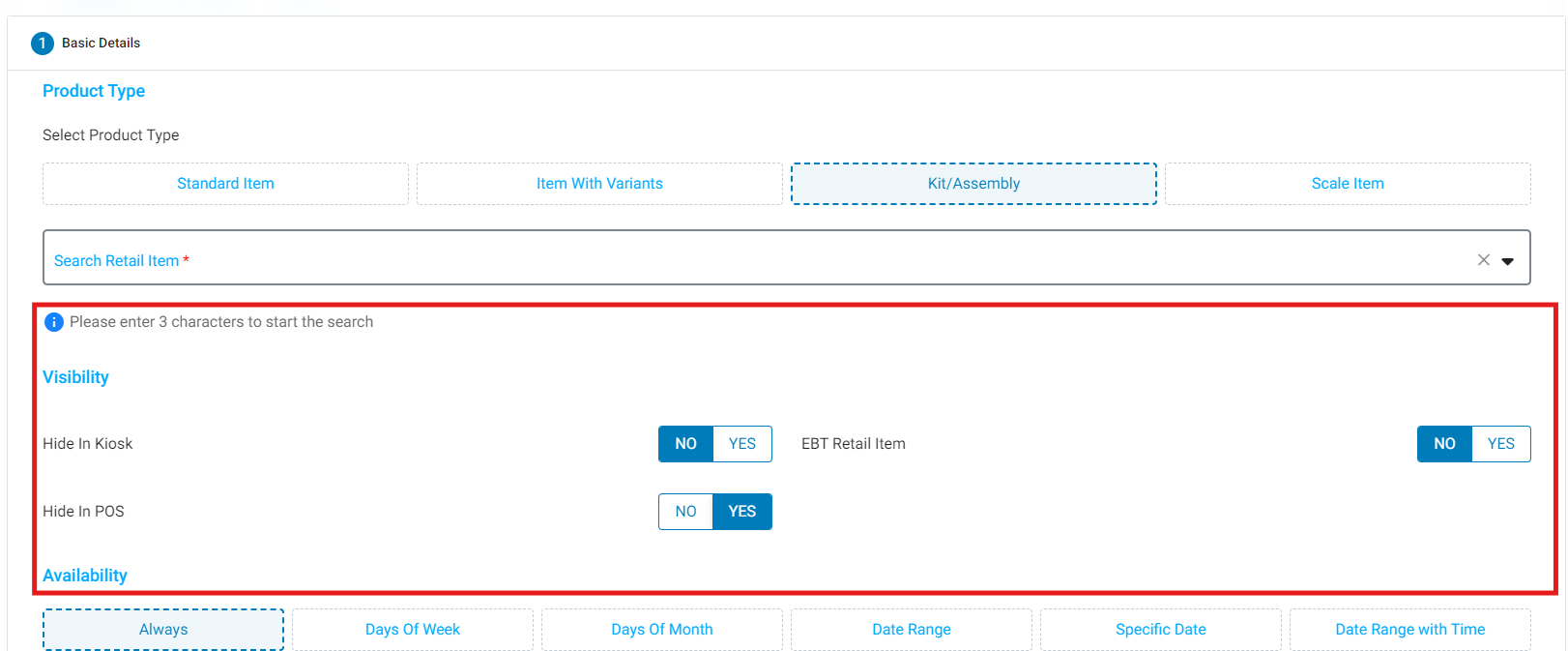
Items "Track Inventory" does not even display here for a kit / Assembly item,
Customer support service by UserEcho


Previously supplied issues with attributes:
Main store has these attributes applied
Note: Only way to resolve this is to manually create it at store level.
These options do not automatically filter to the same from head office to the rest of the store's even if the information has been pulled / pushed across.