Your comments
Hi John,
We have implemented new role restrictions in the New Backoffice UI, Can you try it and share the feedback?
Hi Ryan,
Can you try with our latest retail back office?
Hi Krish,
This has been implemented in the sale recap and cashier-out report. They need to enable Card based Service charge in the payment Settings.

Hi Andy,
We have implemented the new access for Roles in the new back office. Can you try it and let us know your feedback.
Hi Brad,
We can enter the Hours and Minutes in the Force punch-in/out screen. In Both ways, we can enter the values either by scrolling the values or by Entering the Values.
Also, in the New UI, we have a clock screen where they can choose the time, also they can enter the name.
Hi Zaur,
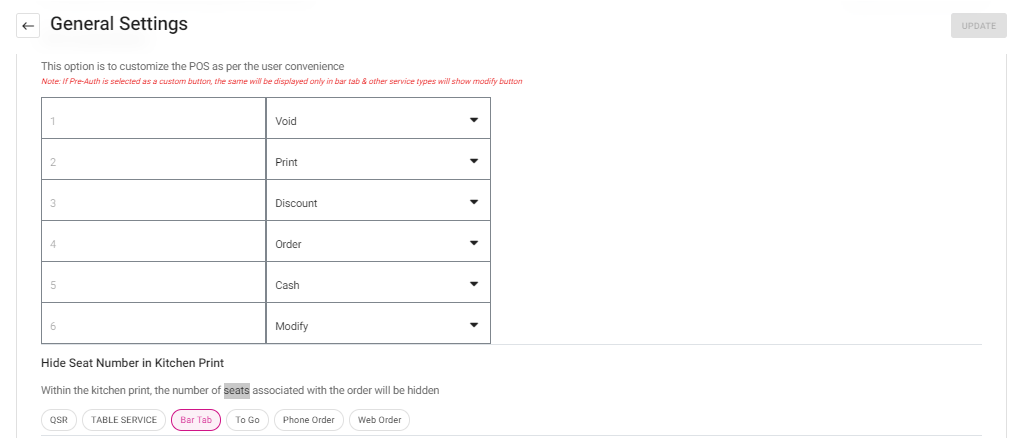
We have the option to print the guest count in the kitchen printer and if you would like to hide it, we have based option based on service type we can hide it.
Hi Mark Amaral,
In the Labor by Job Code report, we have all the fields that are requested. Can you refer to it and let us know your feedback.

Hi Jose,
In the New Backoffice UI, we can sort the columns in the reports that are required.
Can you check and share the feedback?
Hi Heather/Mike,
The account user can be updated by the Super admin of the account, the Dealer admin, and the account user who created the user.
Can you check and let us know your feedback?
Customer support service by UserEcho


Hi Katelyn,
In the Sale recap and cashier out report, we do have Guest count and check column where it will provide the insight of Number guest and number checks that are served by the user and in the store.