Your comments
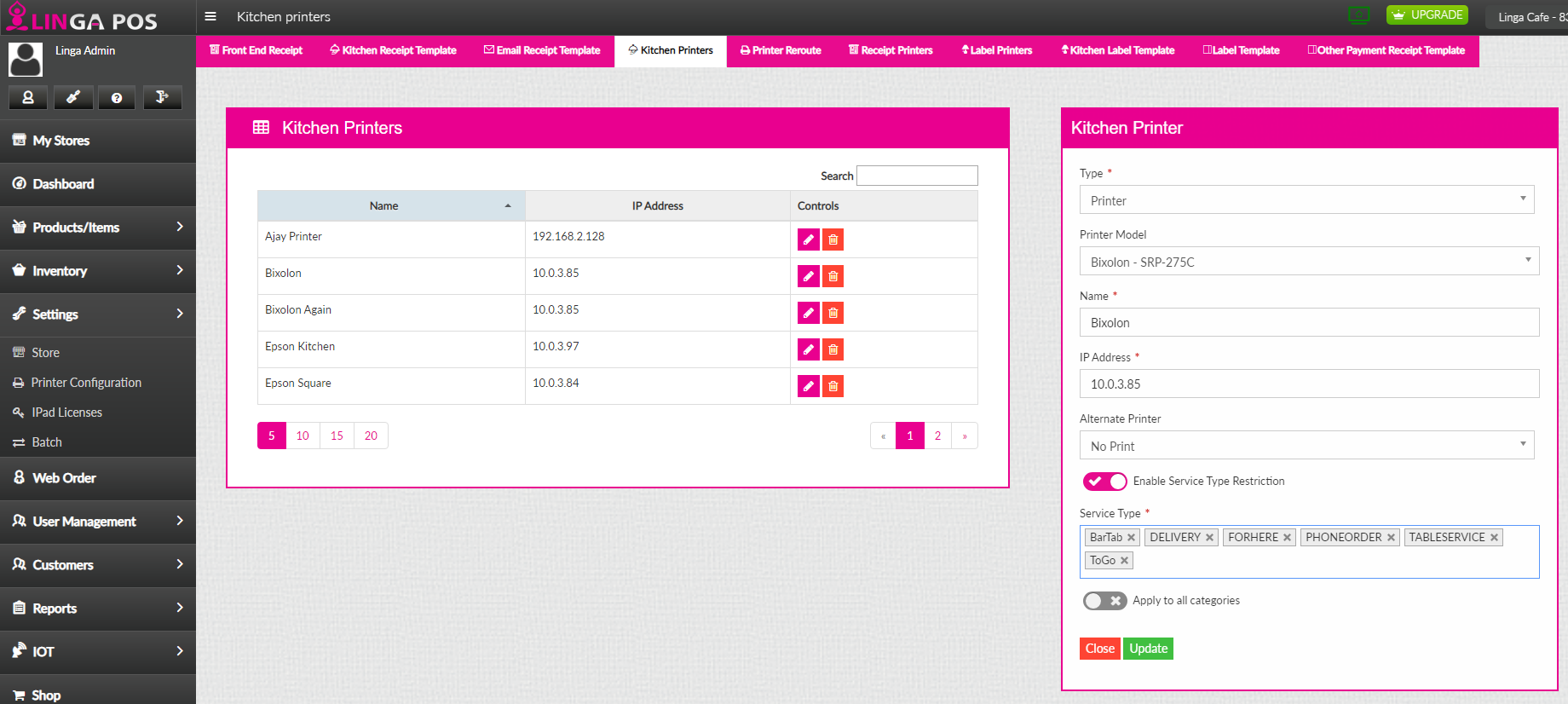
you would go to Setting>Printer Configuration>Kitchen Printers>Select the Printer you select the edit option and then Enable Service Type Restriction and put in what services you you want this printer to print for.
This is Done - Linga Does this....
Has to do with discount Mix and match with including the modifiers
Mix and Match discount to include Modifiers to the item.
This feature is already in LingaPOS
Customer support service by UserEcho


If you want the printer to print twice then all you have to do is create another printer with the same IP address and then assign the printer to all the same places as the other printer is at already.